Automate what should happen next-without losing visibility or control.
InterWebflow can respond to events across clients, workflows, projects, appointments, invoices, quotes and operational records by creating follow-up actions, sending communication or connecting to external systems.
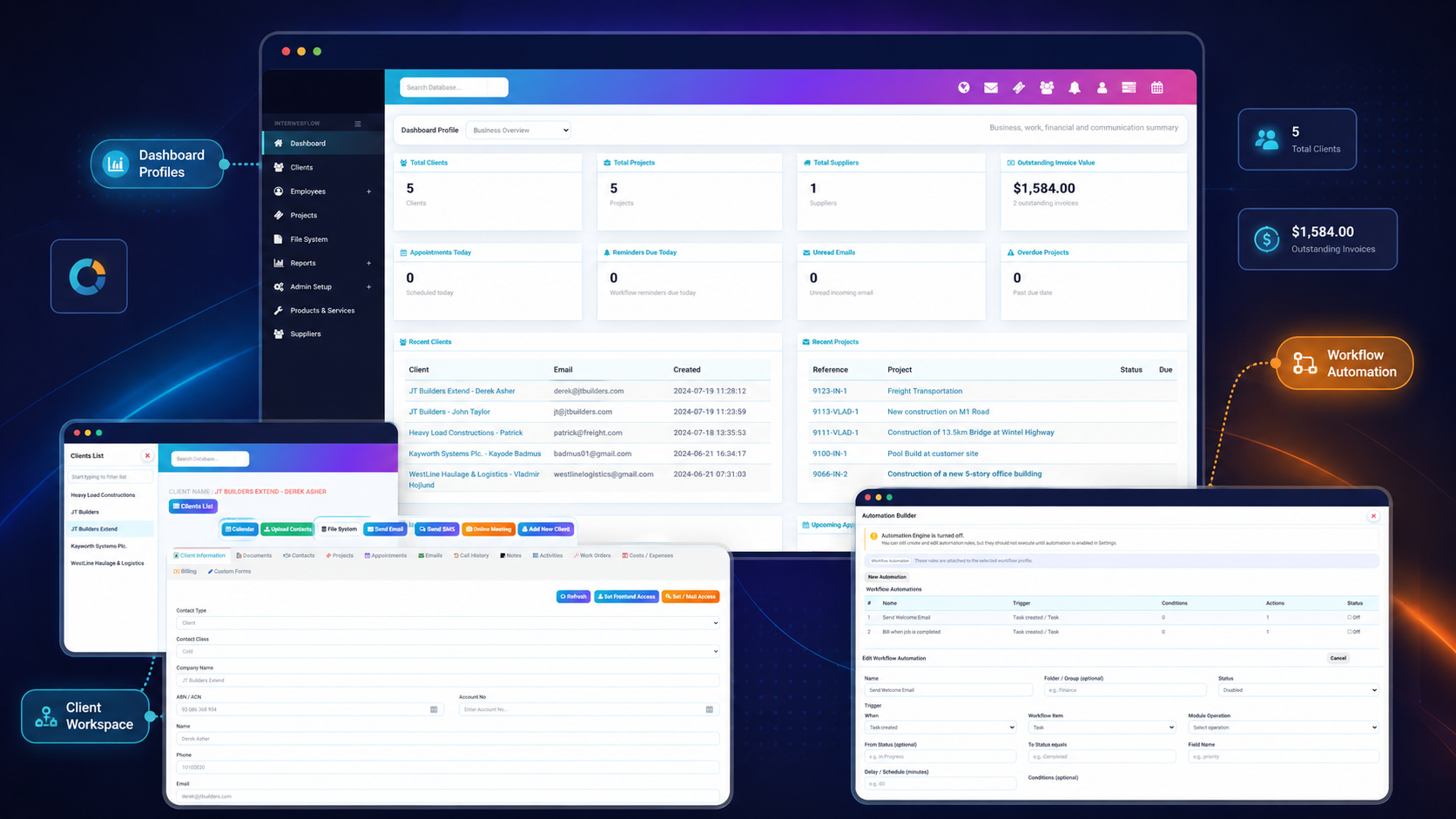
Use real operational events as the starting point for the next action.
Automation becomes more useful when it understands the client, workflow, project, appointment or financial record that caused it to run.
Reduce repetitive work
Automate routine follow-up, notifications and record updates.
Respond at the right time
Trigger immediately or apply a delay before the action runs.
Keep communication moving
Send emails, SMS messages or internal activities from events.
Maintain an audit trail
Review automation history, outcomes and system activity.
Automate both platform events and workflow-specific processes.
System automations can respond to events across major modules. Workflow automations can be attached to a specific workflow profile so rules remain relevant to that process.
Define exactly when an automation should run.
Use the event that occurred, the relevant module or workflow item, status changes, field values and optional timing rules to decide whether an action should execute.
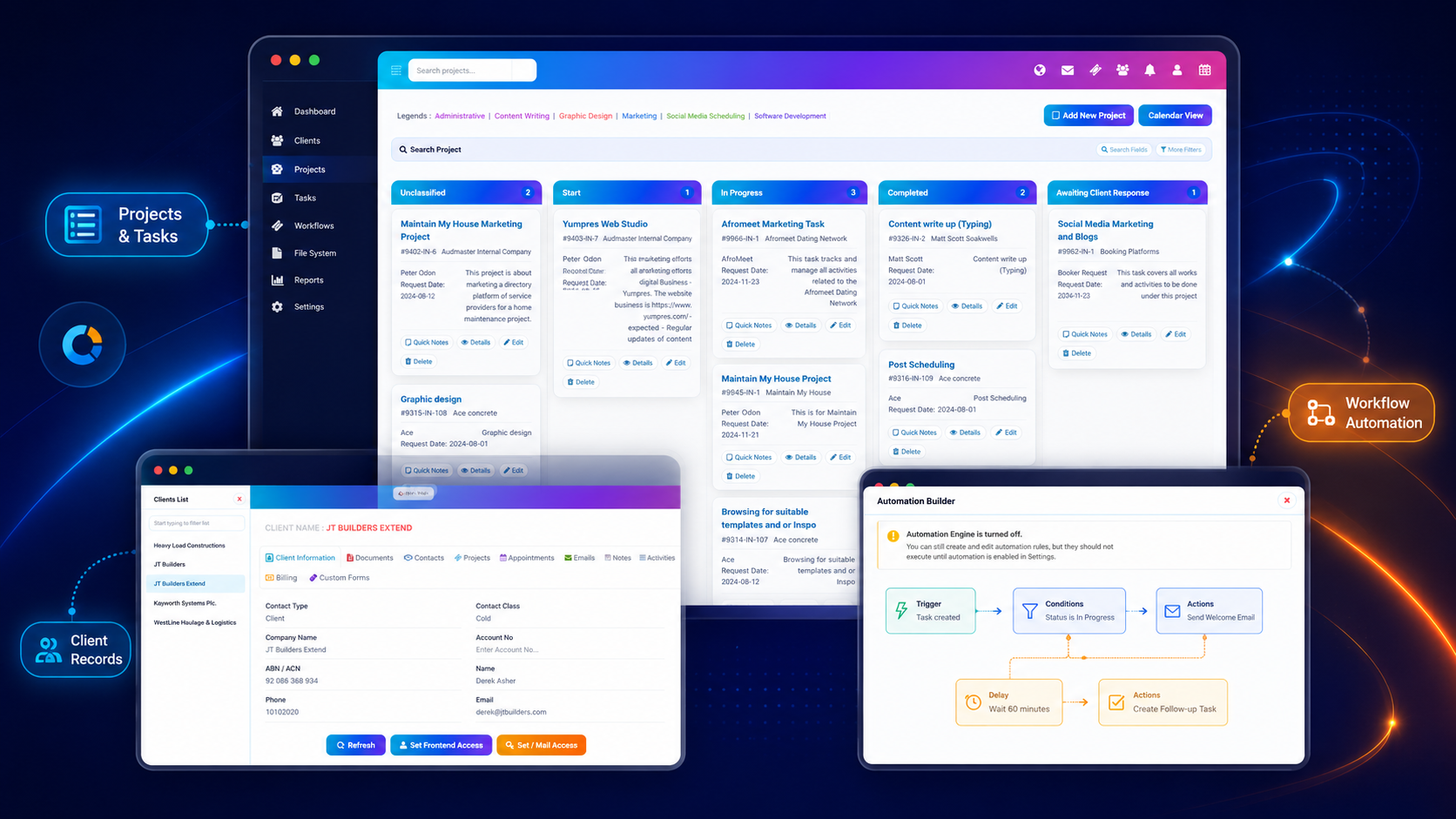
Build the rule from a clear sequence of decisions and actions.
The automation builder follows a practical model that mirrors how teams already think about business processes.
Trigger
Select the event that should start the automation.
Context
Choose the module, workflow item or record involved.
Conditions
Check statuses, fields or other rules before acting.
Delay
Run immediately or wait before continuing.
Actions
Perform one or more follow-up actions.
Move the workflow forward inside InterWebflow or beyond it.
Actions can support internal follow-up, client communication and connections to external systems.
Add an activity or comment
Create a visible follow-up note or activity against the relevant record.
Send an email
Use templates and record context to send the right message at the right time.
Send an SMS
Trigger text-message communication for reminders, updates or follow-up.
Create a task
Assign the next operational action to a person or team.
Schedule follow-up
Use delays and reminders to create timed next steps.
POST to a web service
Send structured data through the automation gateway to an external endpoint.
Automation should be understandable, testable and reviewable.
InterWebflow keeps automation management within the wider operational environment so administrators can see what rules exist and what they are doing.
Automation history
Review automation runs, actions and outcomes.
Administrator control
Enable, disable and manage rules from the relevant settings and builder screens.
Grouped rules
Organise automations into logical folders or operational groups.
System logs
Maintain broader visibility over platform activity and operational events.
Use submitted information to drive the next part of the process.
Custom forms can become part of a broader automation journey. Once information is received, the platform can create follow-up activities, notify staff, begin a workflow or send information to another system.
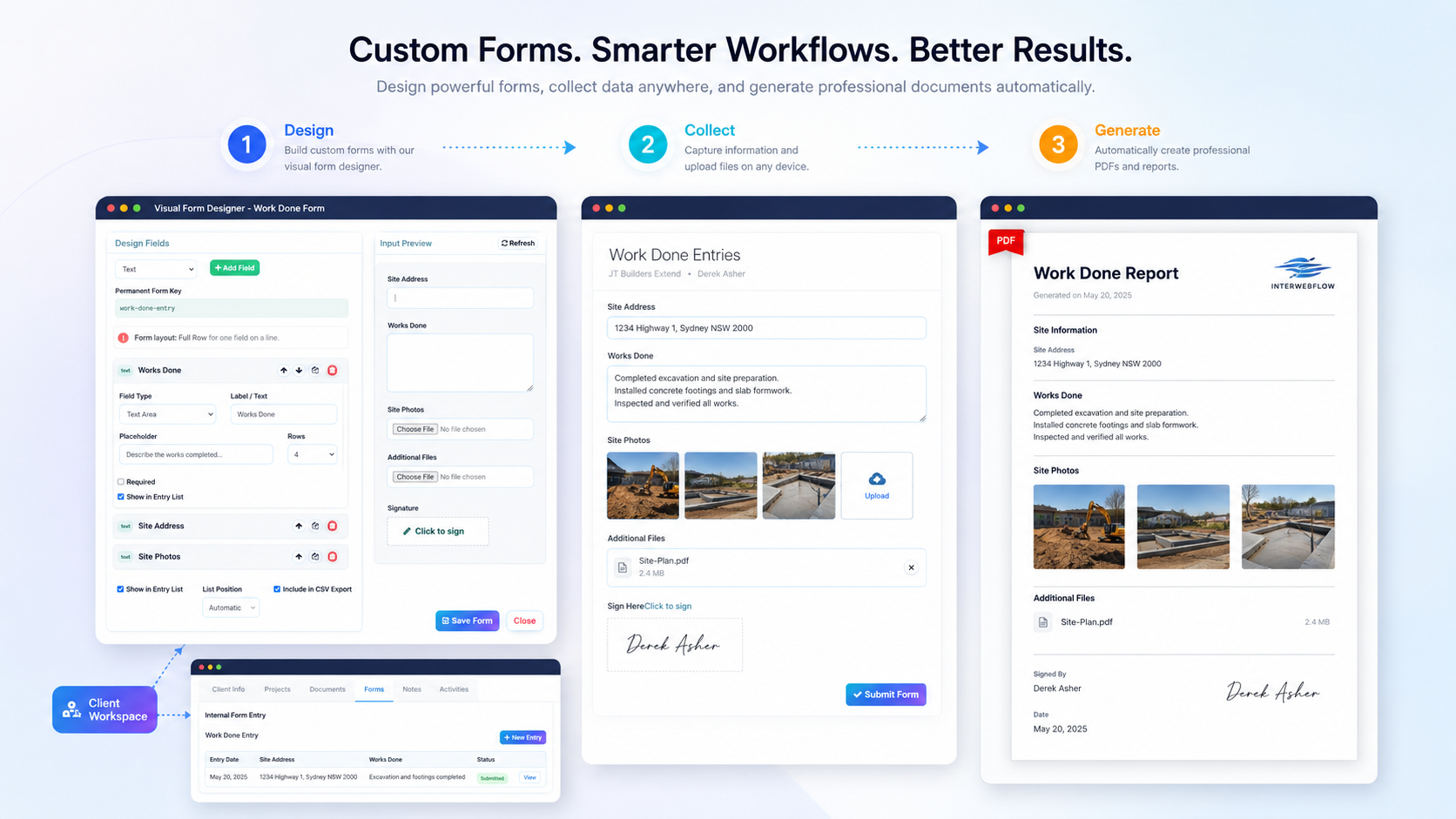
Automate the moments where work often slows down or gets forgotten.
The most valuable automations are usually simple, repeatable actions that keep clients informed and help staff know what to do next.
Show us the repetitive steps in your business. We will show you what InterWebflow can automate.
Whether the next action is an email, SMS, task, reminder, activity, workflow step or external web-service call, InterWebflow can help connect it to the event that should trigger it.