Turn business forms into connected records, actions and professional outputs.
InterWebflow lets you design forms visually, complete them internally against a record, send secure external links, collect signatures and files, and generate structured documents without separating the form from the client, project or workflow it belongs to.
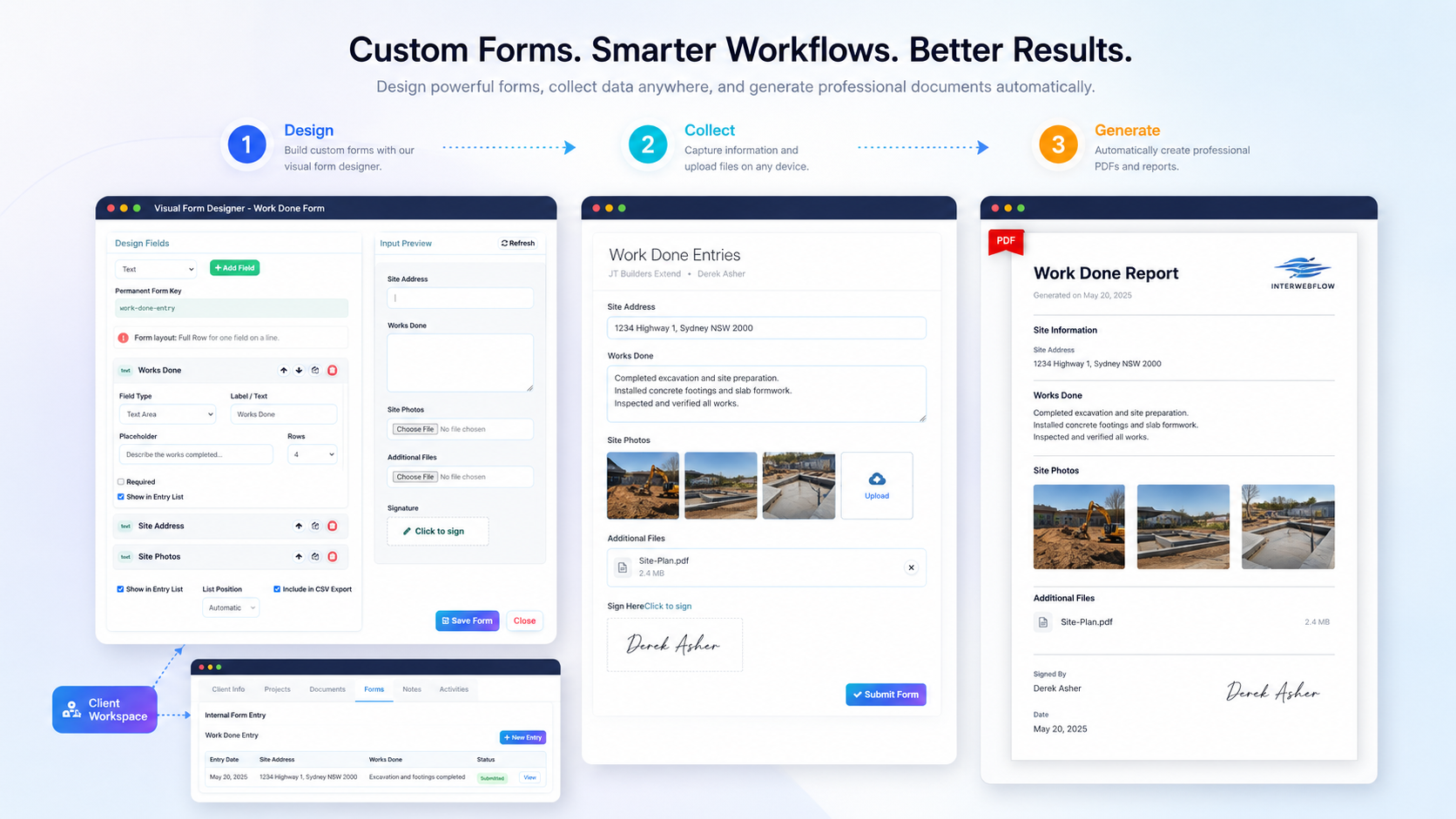
Capture information in a way that immediately becomes part of the work.
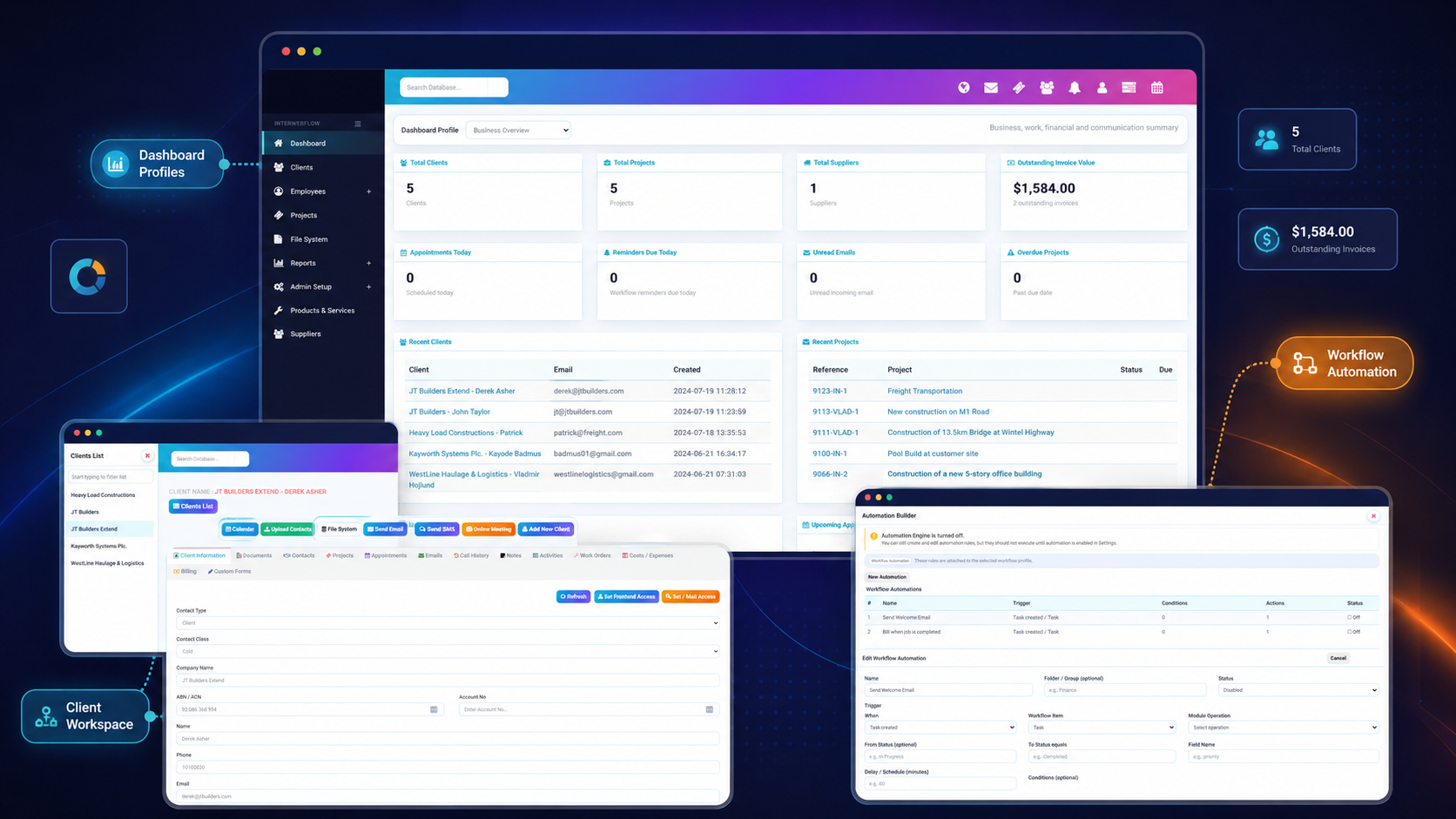
Forms can be connected to clients, projects, employees, appointments, suppliers or workflow records so completed information is not left sitting in a separate form tool.
Design visually
Create structured forms without manually writing complex JSON or markup.
Complete internally
Staff can complete forms directly against the relevant business record.
Send securely
Share a unique form link with a client or external recipient when needed.
Generate outputs
Create professional reports, records, agreements and PDF documents.
Build the exact form your workflow needs.
Create layouts with rows and columns, add the right field types and control how entries are displayed or exported. The visual designer helps non-technical users build practical forms without needing to manually assemble a data structure.
Use the same form inside the platform or send it securely outside.
Staff can complete a form while working on a client, project, employee, appointment or supplier record. When information needs to come from someone outside the platform, a secure unique link can be generated and shared.
Collect supporting evidence as part of the form-not in a separate email trail.
Forms can capture uploaded files, site photos, supporting documents and signatures. These become part of the saved entry and can be used in generated outputs or later operational follow-up.
Design once, collect from the right person and turn the result into action.
The form becomes part of a broader business process rather than an isolated submission.
Design
Create the fields, layout, labels and output structure.
Associate
Connect the form to the relevant business record type.
Collect
Complete internally or send a secure external link.
Generate
Create a designed PDF, report or completed document.
Use
Store, review, export, share or trigger the next workflow action.
Transform collected information into polished business documents.
Use output design to arrange saved fields, free text, images and signatures into a professional document that can be reviewed, downloaded or shared.
PDF reports
Generate reports from the saved form entry, including images and signatures.
Contracts & agreements
Use captured details, supporting files and signatures to produce completed records.
Inspection records
Combine checklists, comments, photos and sign-off into a professional report.
Service documentation
Create completed work reports, onboarding records and service summaries.
Templates & reusable layouts
Apply consistent output formatting across repeated document types.
CSV and list reporting
Use selected fields for entry listings, operational review and export.
Keep forms, files and generated documents organised around the work.
InterWebflow supports structured document storage and quick access so completed forms and supporting information remain useful after submission.
Structured folders
Organise files and documents in a practical directory structure.
Protected access
Use permissions and protected storage for sensitive files and records.
Document trays
Collect frequently used files for quick viewing, attachment or sharing.
Templates and resources
Store forms, training resources, presentations, links and reusable files.
Use one flexible form system across very different business processes.
Forms can be configured around the organisation's terminology, records and workflow. The same capability can support internal operations, client-facing requests and formal document outputs.
Build the form, collect the information and turn it into a usable business record.
Show us the forms, reports, contracts, inspections or onboarding documents your organisation currently uses. We will show you how InterWebflow can connect them to clients, projects, workflows and document outputs.