Keep every client, case and service relationship in one connected workspace.
InterWebflow brings client details, forms, files, appointments, communication, projects, activities, work orders and financial history together so your team can see the full relationship without searching across disconnected systems.
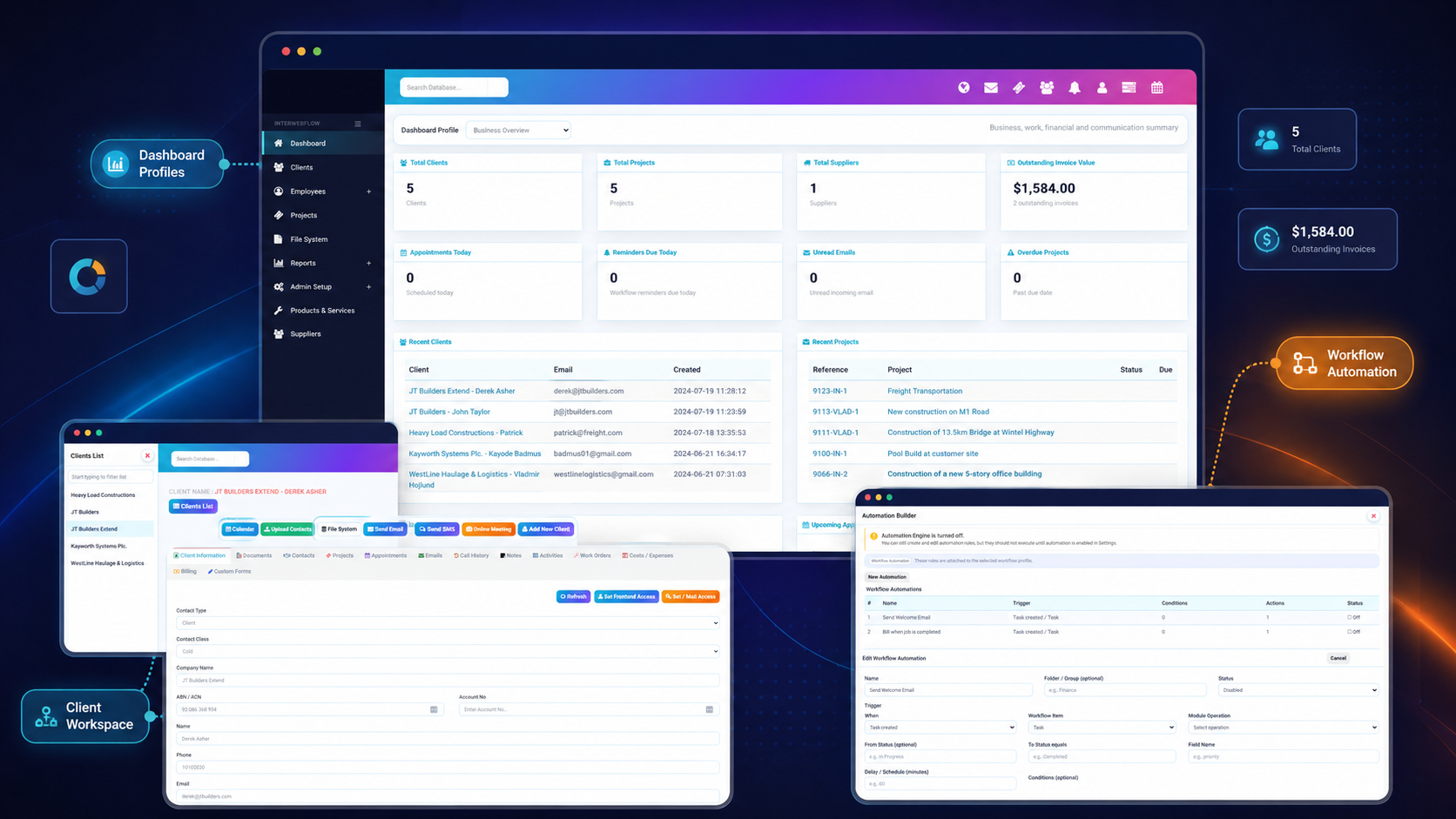
See the information, work and communication surrounding each client.
A client record becomes the central place for the relationship, the work being delivered and the history your team needs to understand what has happened.
One source of context
Keep details, notes, documents, communication and work history connected.
Structured service delivery
Link the client to projects, cases, tasks, work orders and workflow stages.
Communication history
Bring email, SMS, notes, appointments and online meetings into context.
Better follow-up
Use reminders, activities and automation so the next step is not forgotten.
Give staff the full picture before they act.
Instead of opening separate systems for files, appointments, notes, projects and billing, users can work from the same client or case workspace and move directly into the relevant activity.
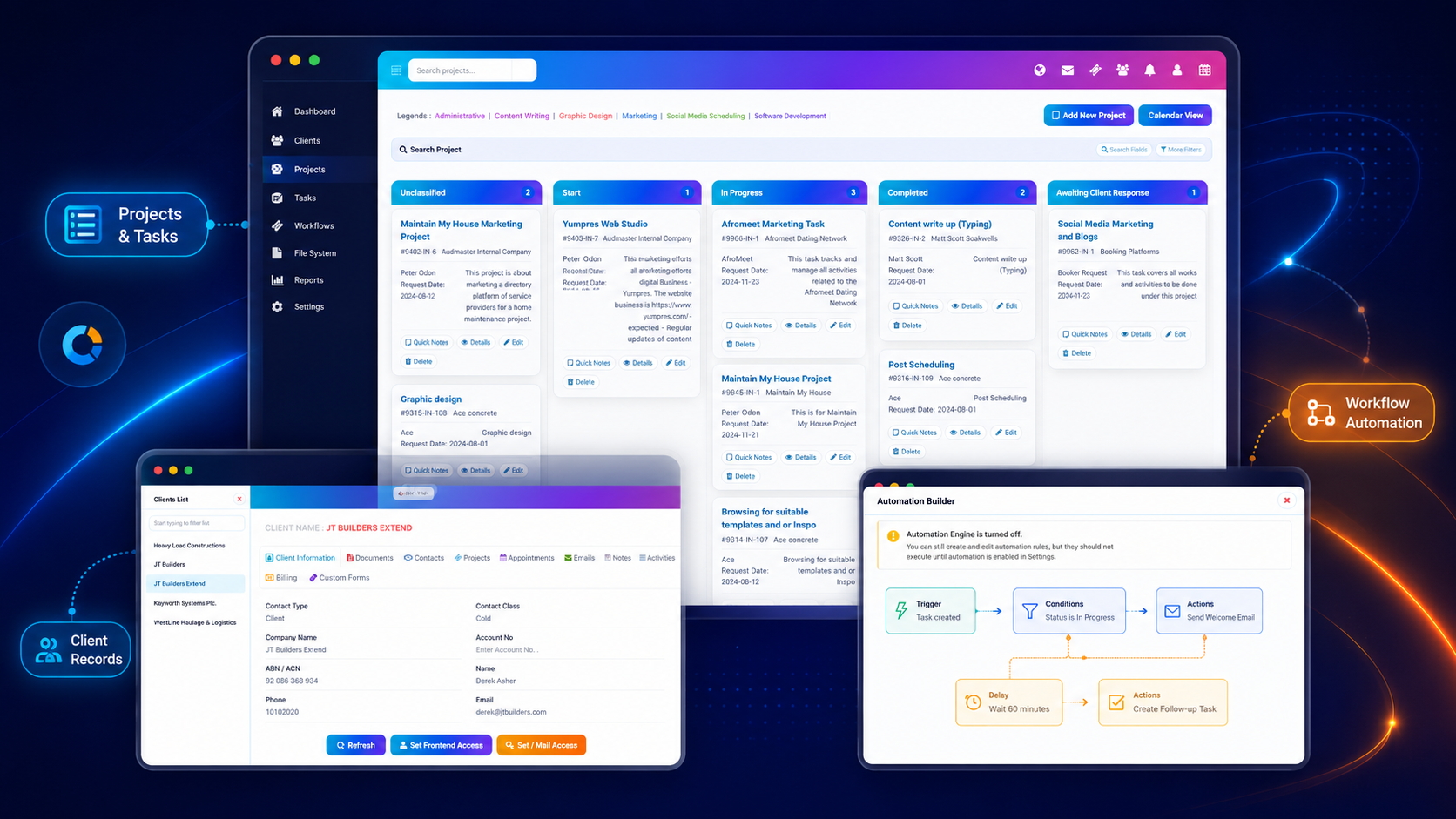
Manage structured cases without losing the client relationship around them.
Create the right workflow for a matter, request, issue, application or service process. Each case can move through defined stages while retaining notes, documents, tasks, activities and responsibility.
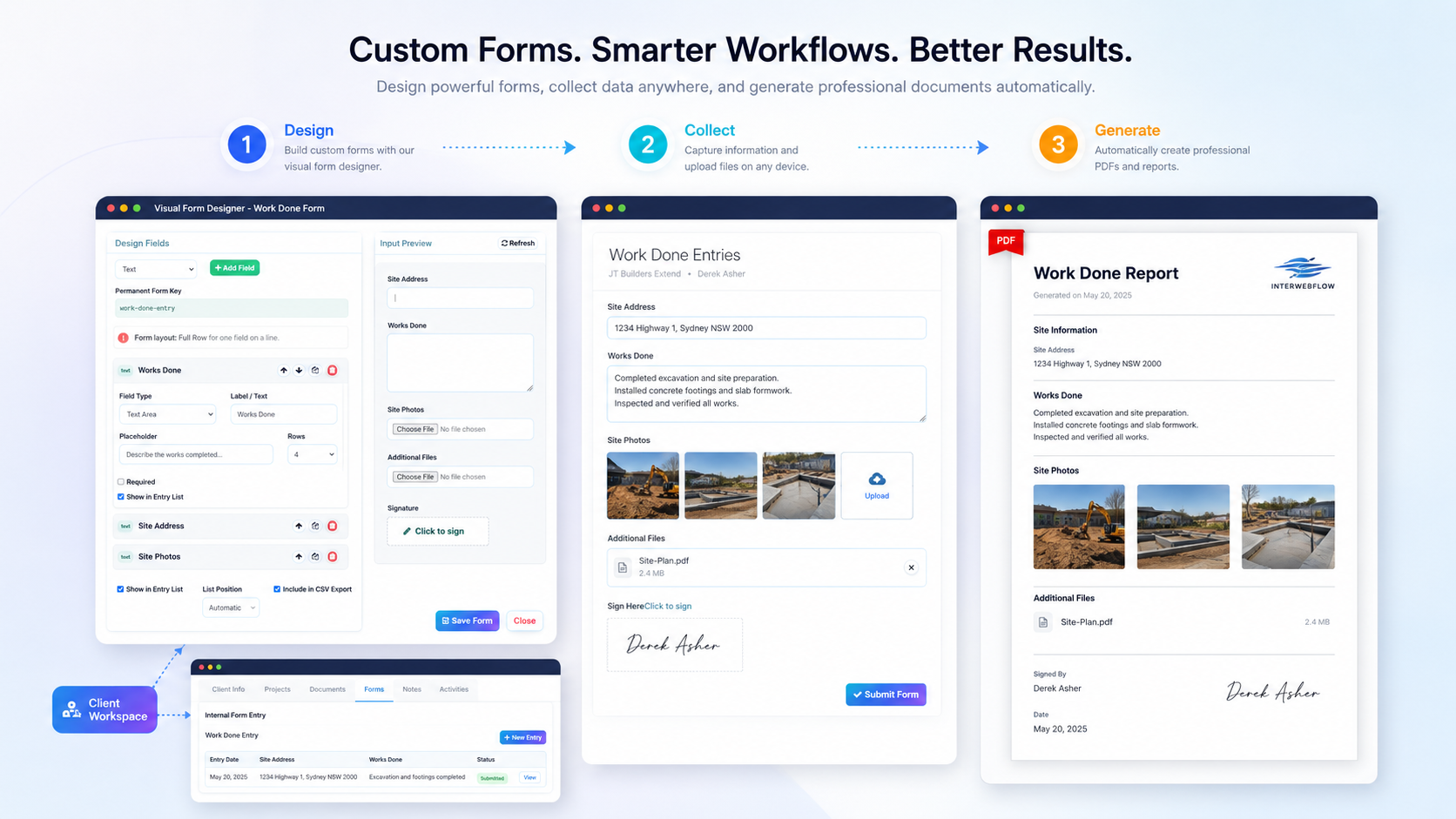
Collect the right information at the right point in the relationship.
Build forms visually, complete them internally against a client or case, or send a secure link for the client to complete. Files, images and signatures can be captured as part of the same process.
Support the relationship from first contact through ongoing service.
Different organisations use different terminology, but the underlying journey can remain connected from intake to delivery and follow-up.
Enquiry or referral
Capture the initial request, lead, referral or service need.
Onboarding
Create the record, collect information, files, consent and signatures.
Service workflow
Start the relevant case, project, task flow or appointment sequence.
Delivery & communication
Manage meetings, notes, documents, activities and completed work.
Follow-up & billing
Maintain reminders, outcomes, invoices and the ongoing client history.
Meet, message and follow up without separating communication from the record.
Communication becomes more useful when staff can see why it happened, what it relates to and what should happen next.
Email, SMS and notes
Record communication, send messages and maintain notes against the relevant client or piece of work.
Appointments & calendars
Schedule client appointments, maintain appointment history and synchronise supported events with Google Calendar.
Video meetings
Launch online sessions for consultations, reviews, onboarding, support, training and remote service delivery.
Give the right people access to the right client information.
Client and case management should make information easier to use without making every record visible to everyone.
Role-based permissions
Control access to client details, forms, files, workflows and sensitive records.
Dashboard profiles
Show each role the information and cards most relevant to their responsibilities.
Activity and system history
Maintain visibility over changes, actions, communication and workflow events.
Operational reporting
Understand workloads, client activity, case progress, time and financial outcomes.
Clients, cases, matters, participants or service users-the platform adapts.
InterWebflow can reflect the terminology and workflow used by the organisation. Client-facing labels, record structures, forms, stages and permissions can be configured around the service model rather than forcing every team into generic CRM language.
Bring client information, service delivery and follow-up into one connected environment.
Show us how your organisation manages enquiries, onboarding, cases, appointments, documents, communication and billing. We will show you how InterWebflow can support the whole relationship.