One flexible platform, configured around how your industry actually works.
InterWebflow supports service-based and operations-heavy organisations by adapting workflows, forms, terminology, permissions, dashboards and modules around the way each business manages clients, work, documents, time and billing.
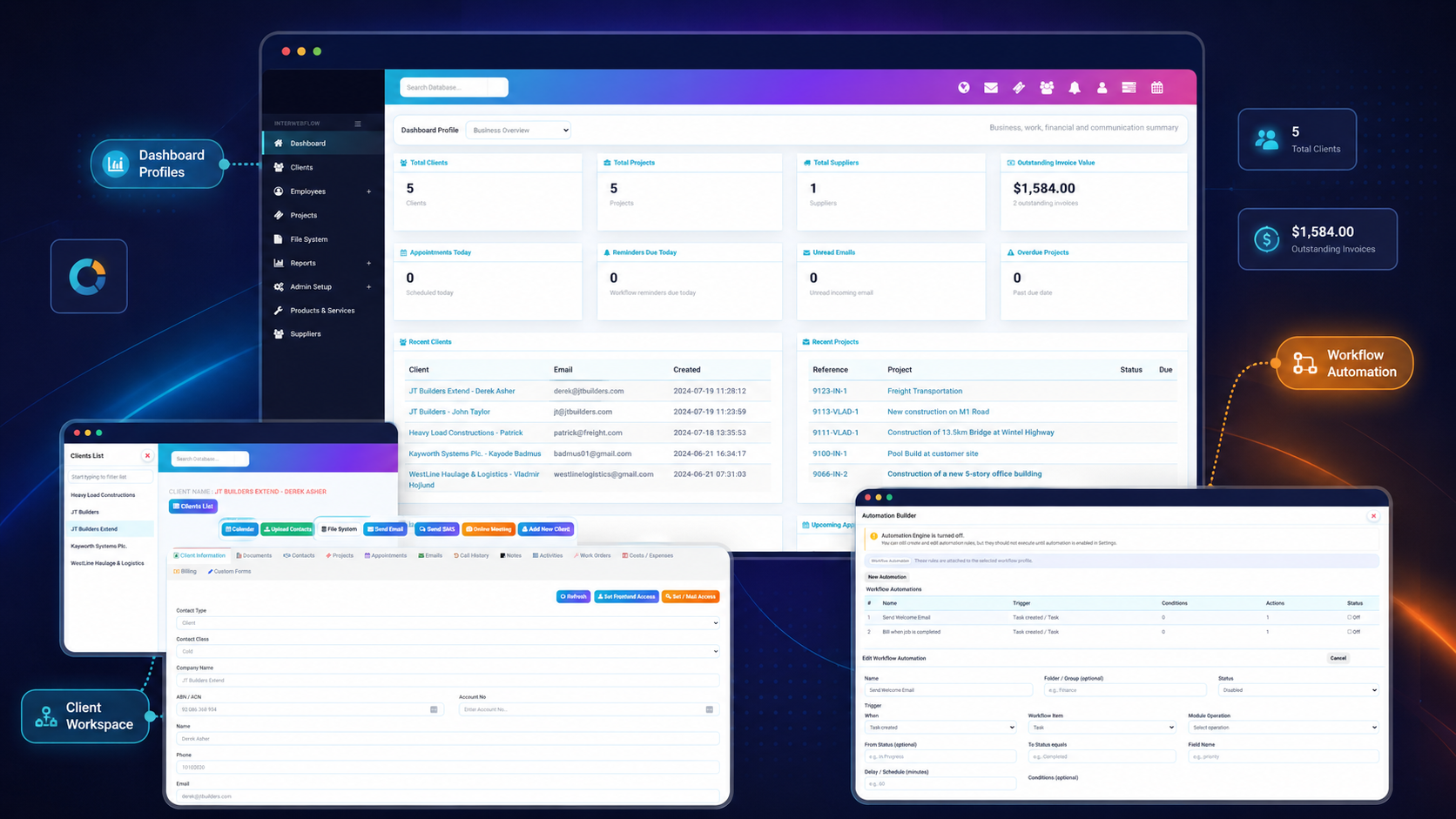
Start with the workflow, not a rigid industry template.
Different sectors use different language and processes, but they often share the same need to connect people, records, tasks, forms, documents, communication and commercial activity.
Configurable terminology
Use the labels and record names that make sense to your organisation.
Flexible workflows
Represent real stages, responsibilities, approvals and service journeys.
Industry-specific forms
Capture the exact information, files and signatures your process requires.
Role-based control
Give each team, provider or user access to the right parts of the system.
Practical ways different organisations can use InterWebflow.
These are starting points rather than fixed packages. Each implementation can be adjusted around the organisation’s own workflows and terminology.
Legal & Advisory
Manage clients, matters, documents, appointments, communication, tasks, time and billing in one connected workspace.
- Client and matter records
- Contracts and signatures
- Appointments and video meetings
- Time tracking and invoicing
Healthcare Administration & Support
Coordinate onboarding, consent, appointments, service records, communication and remote consultations.
- Client or participant onboarding
- Consent and assessment forms
- Appointments and video sessions
- Service and activity history
Construction & Field Services
Manage clients, projects, jobs, work orders, inspections, site evidence, suppliers, purchase orders, bills, time, costs and invoices.
- Projects, work orders and site delivery
- Site forms, inspections and completion evidence
- Purchase orders, supplier bills and allocation tracking
- Material costs, invoicing and Xero handover visibility
Professional Services
Connect enquiries, client records, projects, tasks, communication, timesheets, supplier expenses, quotes and invoices.
- Client and project management
- Workflow, task delivery and service coordination
- Time, timesheets and supplier-related costs
- Quotes, invoices and accounting handover
Education & Training
Support registrations, forms, resources, appointments, online sessions, assessments and service follow-up.
- Registration and onboarding
- Training forms and assessments
- Resources and documents
- Appointments and video sessions
Brokers & Financial Services
Manage client onboarding, applications, supporting documents, communication, approvals and workflow handoffs.
- Client and application records
- Document collection
- Forms and signatures
- Approvals and follow-up workflows
Recruitment & HR
Coordinate candidates, employees, onboarding, documents, interviews, forms, tasks and internal processes.
- Candidate and employee records
- Onboarding forms
- Interviews and appointments
- Documents and compliance tracking
Provider Networks & Multi-Team Operations
Roll out a configured platform across providers, branches, partners or separate teams while maintaining role-based control.
- Separate teams and user roles
- Shared operating standards
- Dashboard profiles
- Partner and provider workflows
Use the terminology your team and clients already understand.
InterWebflow does not need to expose generic labels where they do not fit. Record names, forms, workflow stages, dashboard cards and user-facing terminology can be configured around the organisation.
Shape the platform around how work moves through the organisation.
Whether the process is a legal matter, construction project, service request, student journey or client application, InterWebflow can connect stages, tasks, documents, appointments, communication, time and billing.
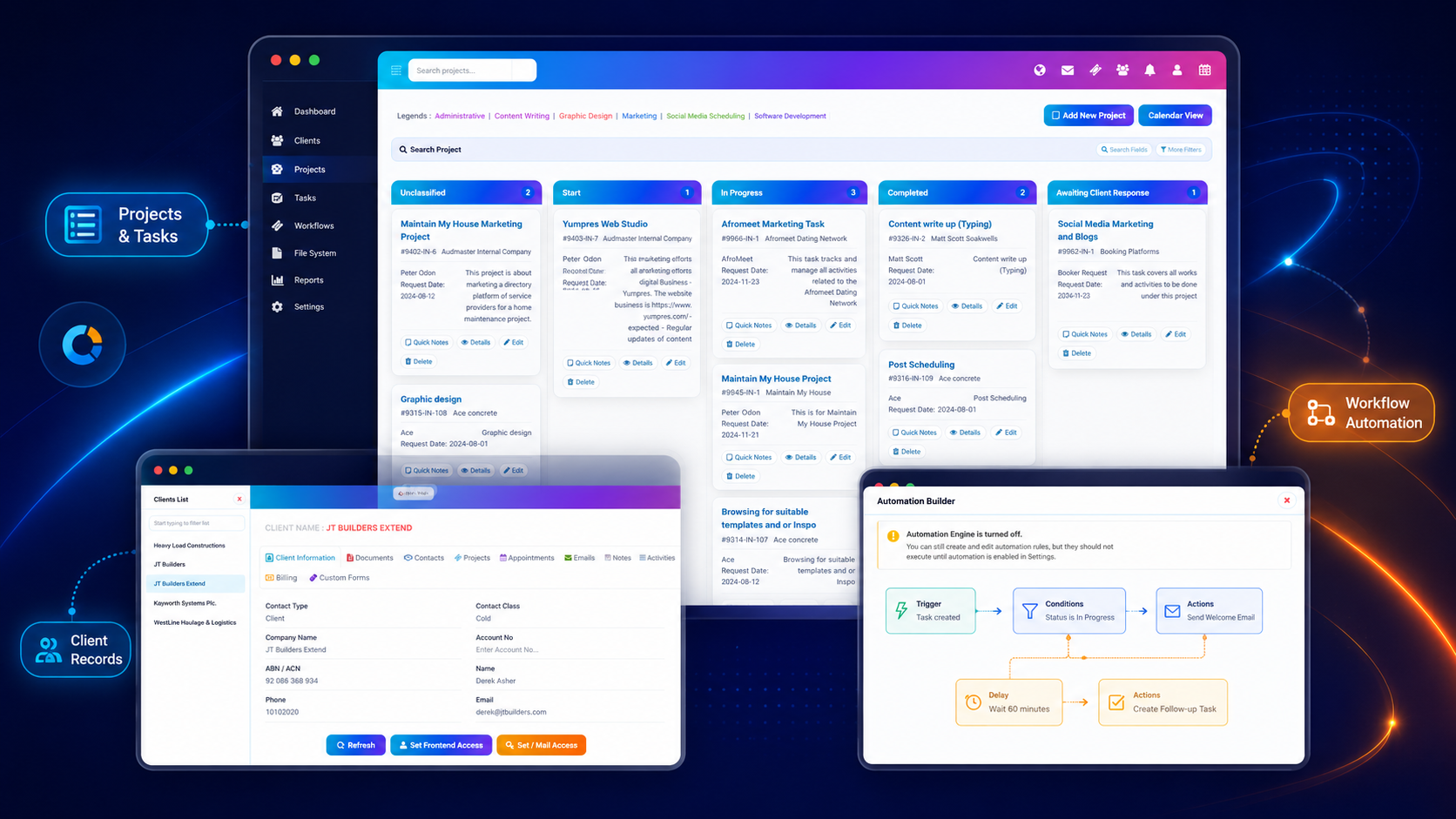
Adapt the experience without rebuilding the platform from scratch.
The platform provides a common operational foundation while allowing the implementation to reflect the organisation’s structure and service model.
Modules
Enable the operating areas required for the implementation.
Forms & outputs
Create industry-specific forms, records, reports and documents.
Workflow stages
Model the real sequence of work, decisions and handoffs.
Roles & permissions
Control visibility and action rights across teams and record types.
Labels & terminology
Reflect the language used by the organisation and its clients.
Dashboards
Assign dashboard profiles with cards relevant to each role.
Automation
Configure triggers, conditions, delays and operational actions.
Integrations
Connect accounting, calendar, email and external web services.
Begin with the most important process and expand from there.
An implementation does not need every module on day one. It can start with the priority workflow and grow as teams become comfortable with the platform.
Understand the operation
Review clients, teams, records, documents, tasks, time and billing.
Choose the starting workflow
Select the highest-value process to configure first.
Configure the experience
Set up labels, forms, stages, roles, dashboards and templates.
Launch and expand
Refine the workflow, add automation and introduce more modules over time.
Your industry may be specialised. Your systems should still work together.
Show us how your organisation manages clients, service delivery, forms, documents, communication, time, suppliers and billing. We will show you how InterWebflow can be configured around that operating model.