More than software modules. One connected operating platform.
Manage clients, workflows, projects, forms, documents, appointments, communication, time, suppliers and billing—then automate how information and work move between them.
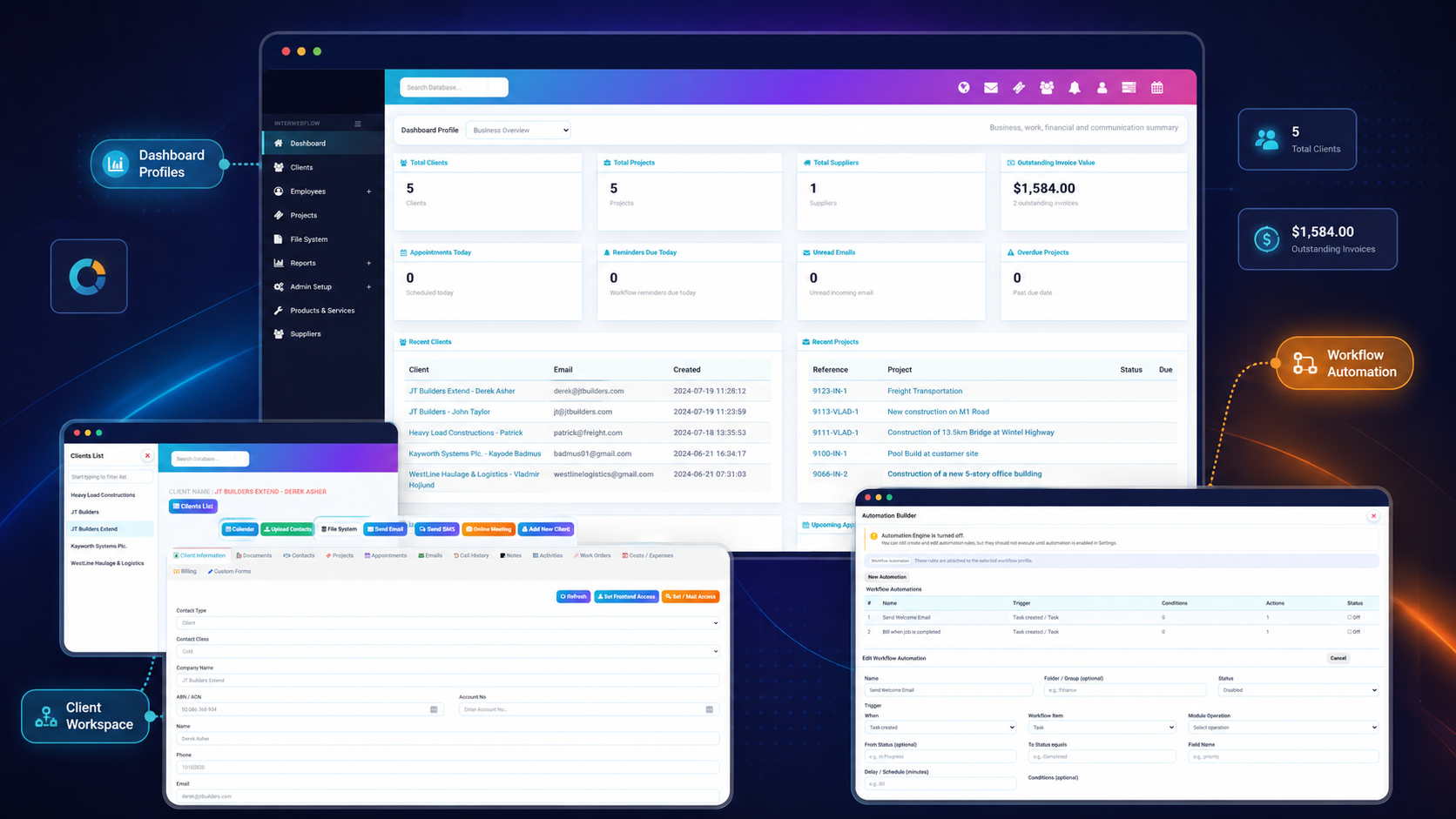
Work moves through one system instead of being handed between disconnected tools.
InterWebflow keeps the client, the work, the information and the financial outcome connected throughout the process.
Connected client records
Contacts, appointments, notes, forms, documents, projects, work orders, billing and communication stay linked to the record.
Workflow automation
Respond to business events with emails, SMS, activities, reminders, tasks and external web-service actions.
Flexible forms and outputs
Design forms visually, fill them internally or externally, capture evidence and signatures, and produce structured outputs.
Operational visibility
Use dashboards, lists, Kanban boards, calendars, logs and reports to understand what is happening across the organisation.
Give your team the complete context before they act.
A client record is not just a contact profile. It can become the connected workspace for communication, forms, files, appointments, projects, work orders, financial activity and service history.
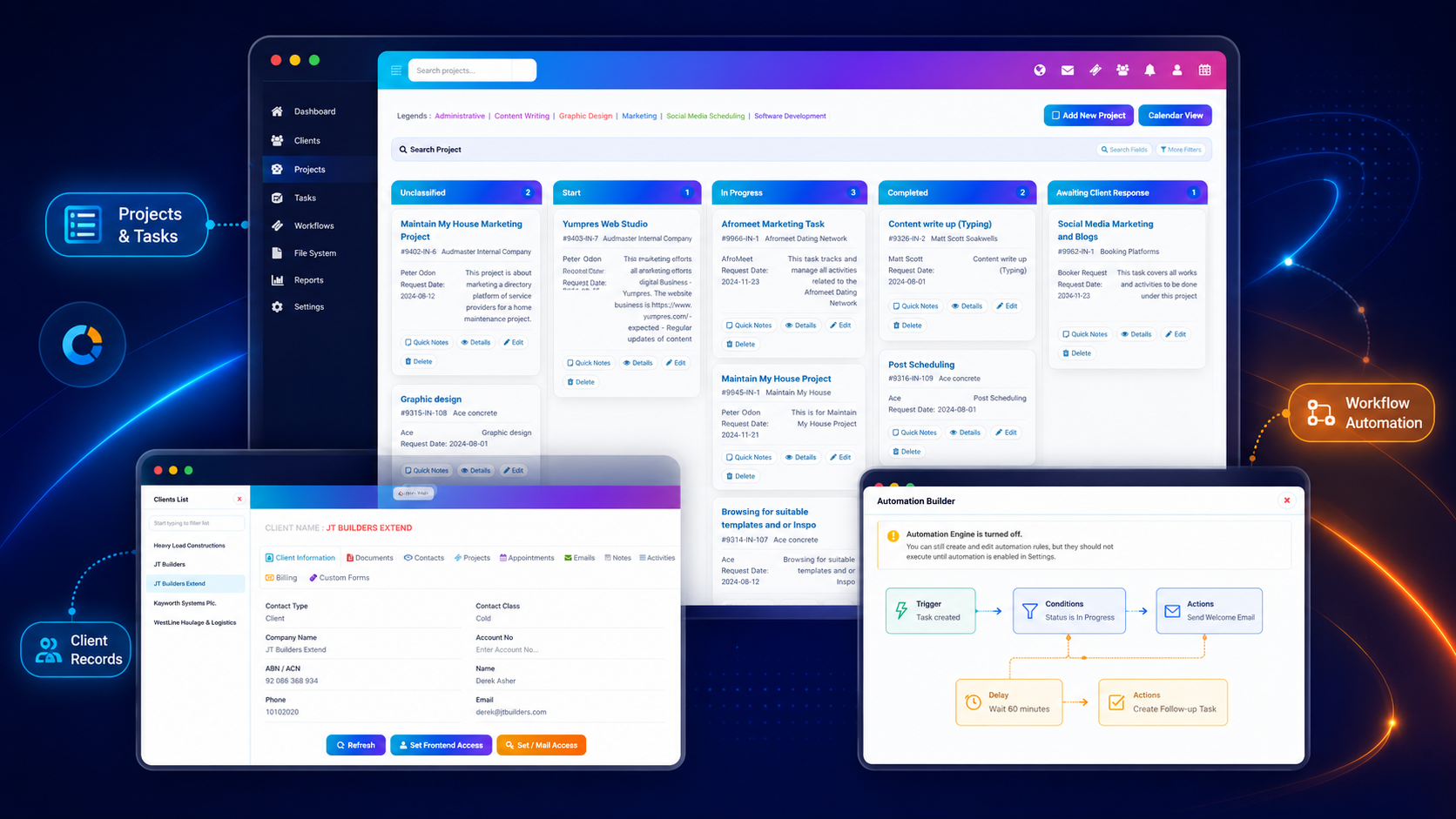
Define what happens next—and let the platform follow through.
Create structured workflows for cases, jobs, projects and internal processes, then attach automation to the events that matter.
New client onboarding
Send a welcome email, add an activity and create the first follow-up task.
Project completion
Notify the client, request completion information and prepare the work for billing.
Appointment workflow
Send confirmation, reminders and follow-up communication around an appointment.
External integration
Build a structured payload and send the relevant data to an API or web-service endpoint.
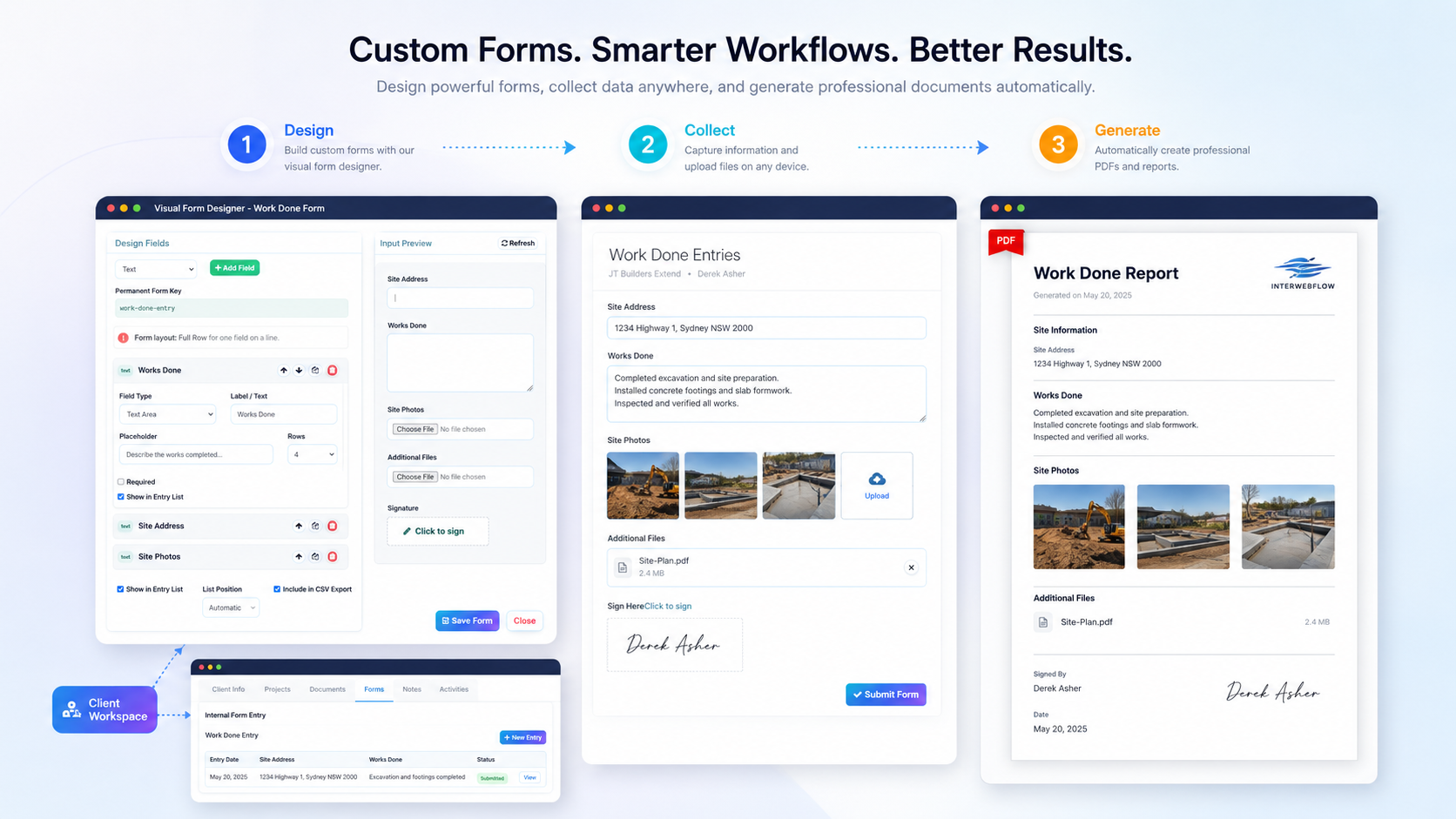
Forms become part of the operational record—not isolated submissions.
Build forms around the information your organisation actually needs. Staff can complete them inside InterWebflow, or you can securely send them to clients and external participants.
Track work from assignment through completion, purchasing and billing.
Use projects, jobs, tasks and work orders to organise delivery while keeping every activity, supplier cost and commercial outcome connected to the relevant client record.
Manage the operational work between the first enquiry and final payment.
InterWebflow brings together the day-to-day capabilities service organisations usually spread across multiple systems.
Appointments and calendars
Organise client appointments, team schedules and job-related events.
- Appointment records and reminders
- Jobs and appointments calendar views
- Google Calendar synchronisation
Email, SMS and communication
Keep communication close to the client and work records it relates to.
- Incoming and outgoing email workflows
- SMS and templated communication
- Call history and online meetings
Files, documents and trays
Store, protect and retrieve information without losing its operational context.
- Structured folders and protected documents
- Training resources and useful links
- Reusable and shareable document trays
Time and timesheets
Capture internal, staff and contractor effort against clients and projects.
- Built-in timer and manual entries
- Timesheet submissions and approvals
- Billable time connected to invoicing
Quotes, invoices and costs
Connect financial documents to services, products, work, supplier allocations and recorded effort.
- Quotes and invoice generation
- Products, services, cost items and purchasing allocations
- Outstanding, overdue and accounting handover visibility
Suppliers and purchasing
Manage supplier records and the documents, orders and bill workflows associated with procurement.
- Supplier contacts, documents and activity
- Purchase orders, supplier bills and PO allocation tracking
- Xero and accounting handover visibility
Shape the platform around different roles, teams and operating models.
InterWebflow is designed to be configured rather than hard-coded around one narrow industry process.
Dashboard profiles
Give different roles a useful starting view instead of one dashboard for everyone.
- Profile-specific card layouts
- Business, work and financial summaries
- Role assignment by administrators
Roles and permissions
Control what users can see and do across records, modules, forms and workflows.
- Role-based module access
- Record and form permissions
- Frontend and external access controls
Reports and operational logs
Understand work, activity and system behaviour across the organisation.
- Business and workflow reports
- Automation and system activity logs
- Search, filters and exportable data
Connect InterWebflow to the rest of your business environment.
Use built-in integrations, workflow actions and configurable web-service payloads to reduce re-entry, keep external systems involved in the process and maintain visibility as approved financial records move into platforms such as Xero or QuickBooks.
The value is in how the capabilities work together.
Each area can stand on its own, but InterWebflow becomes most powerful when the records, processes and actions remain connected.
| Capability | What it manages | What it connects to |
|---|---|---|
| Clients and records | Contacts, history, communication, documents and service information. | Projects, appointments, forms, workflows, billing and files. |
| Workflows and automation | Stages, triggers, conditions, responsibilities and follow-up actions. | Clients, tasks, appointments, financial events and external services. |
| Projects and work delivery | Jobs, tasks, work orders, milestones, notes, deadlines and progress. | Clients, staff, forms, documents, time, costs and invoices. |
| Custom forms | Structured data, assessments, inspections, signatures, images and files. | Internal records, public links, PDF outputs and reporting. |
| Operational finance | Timesheets, quotes, invoices, products, services, supplier costs and bills. | Completed work, accounting workflows and management dashboards. |
| Control and integration | Roles, dashboards, logs, reports, APIs and connected applications. | Every module and operating process across the platform. |
Show us how your organisation works. We will show you how InterWebflow can support it.
A demonstration can focus on the capabilities that matter to your team—from client and case management through forms, service delivery, automation, documents, billing and integrations.