Move work from request to completion with clarity, accountability and control.
InterWebflow connects projects, jobs, work orders, tasks, forms, documents, appointments, time, costs, suppliers and billing so your team can manage the complete delivery process from one platform.
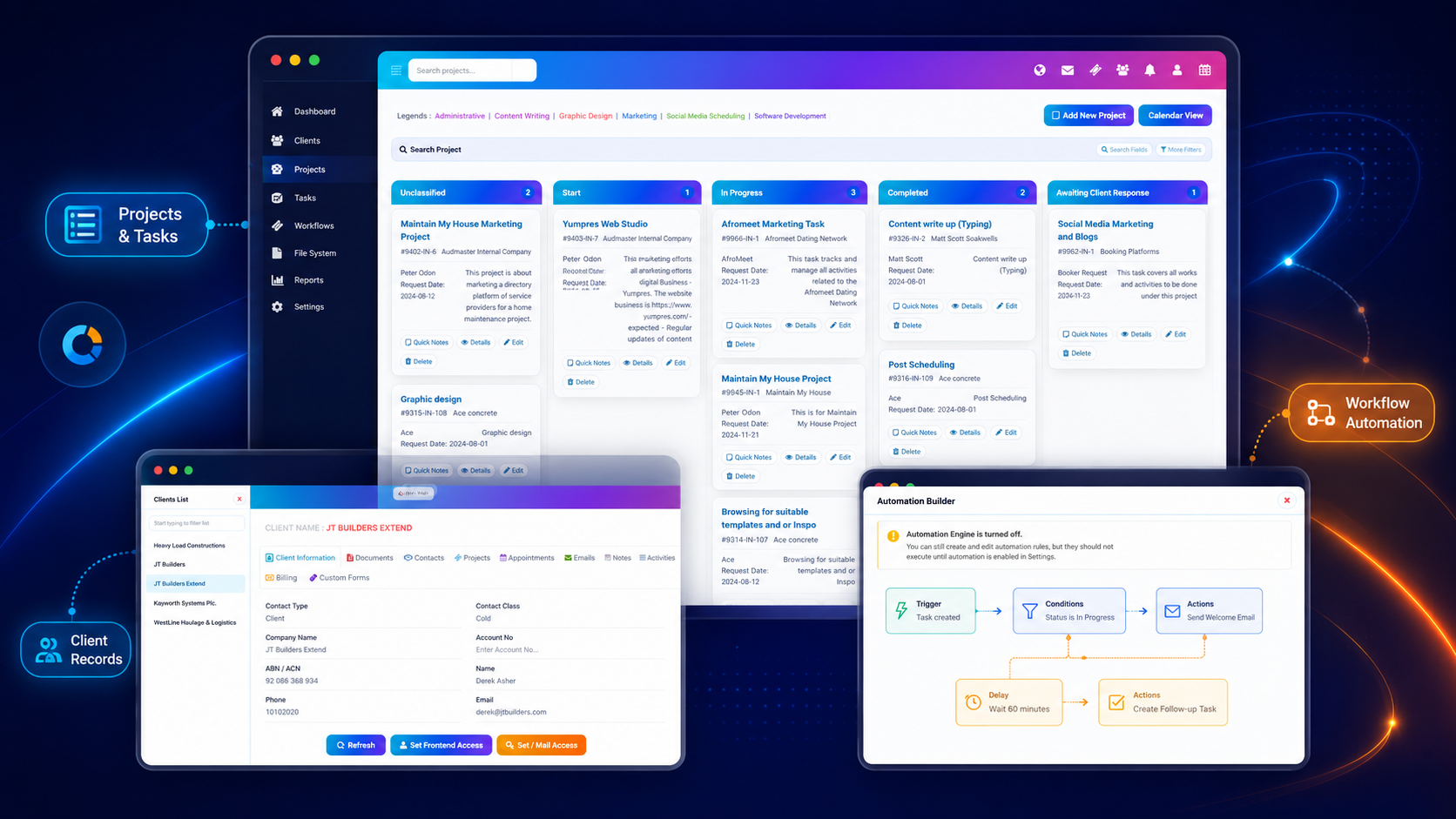
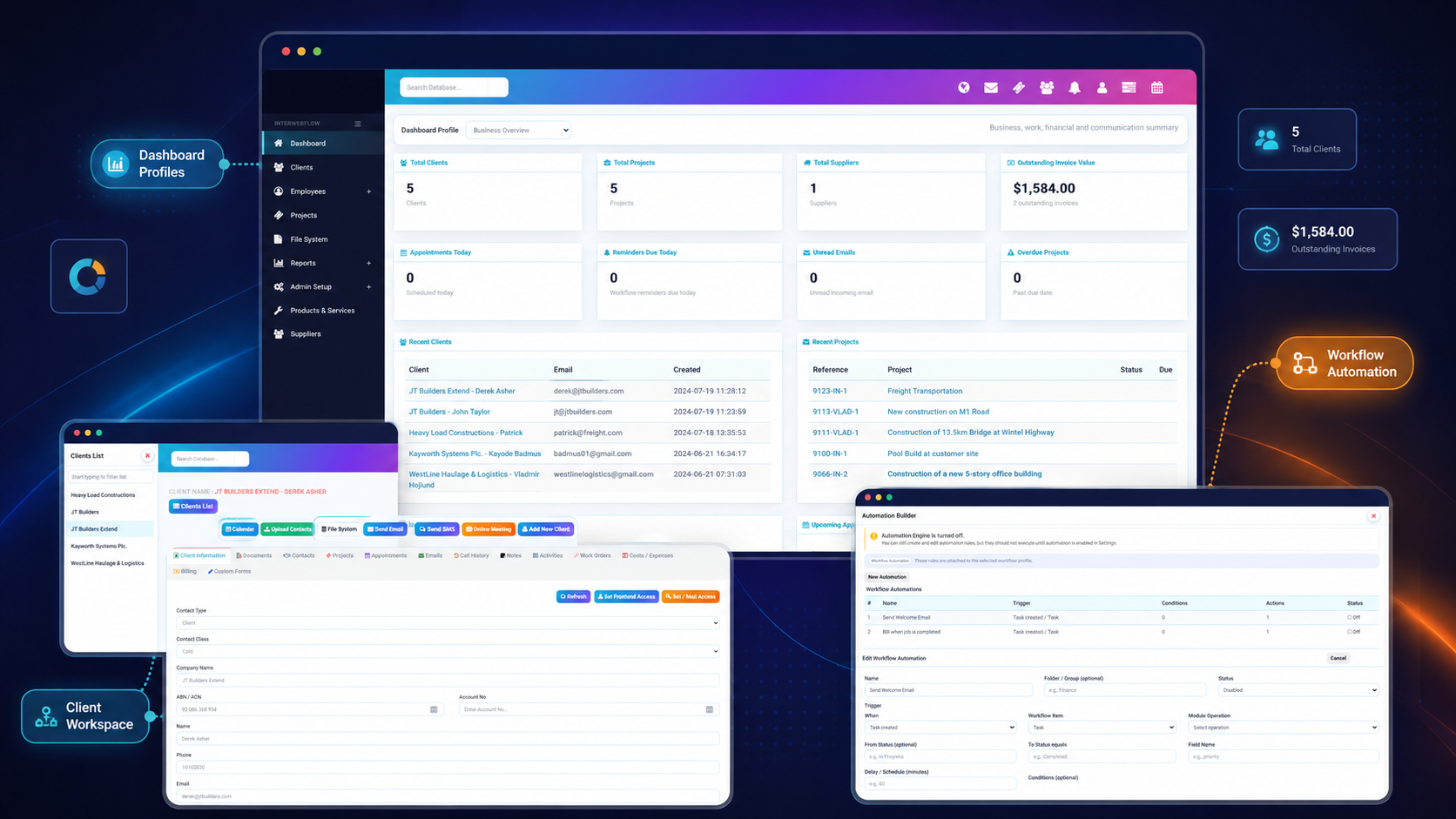
Coordinate the work, the information and the commercial outcome.
InterWebflow provides structure around what needs to happen while keeping the client, documents, forms, communication, time and financial information connected.
Visible work stages
See what is waiting, active, blocked, completed or awaiting a response.
Clear ownership
Assign responsibility, due dates, tasks and follow-up to the right people.
Information in context
Keep forms, files, photos, notes and communication attached to the work.
Work-to-billing flow
Connect time, services, products, materials and costs to commercial outcomes.
Use the right structure for the type of work being delivered.
Some organisations manage projects, others use jobs, work orders, cases or service requests. InterWebflow can support different structures while keeping the delivery activity linked to the client and the wider operational record.
Make it clear what needs to happen, when and by whom.
Delivery becomes easier to manage when responsibilities, dates, dependencies, activities and follow-up are visible. InterWebflow helps teams coordinate daily action without separating it from the project or client context.
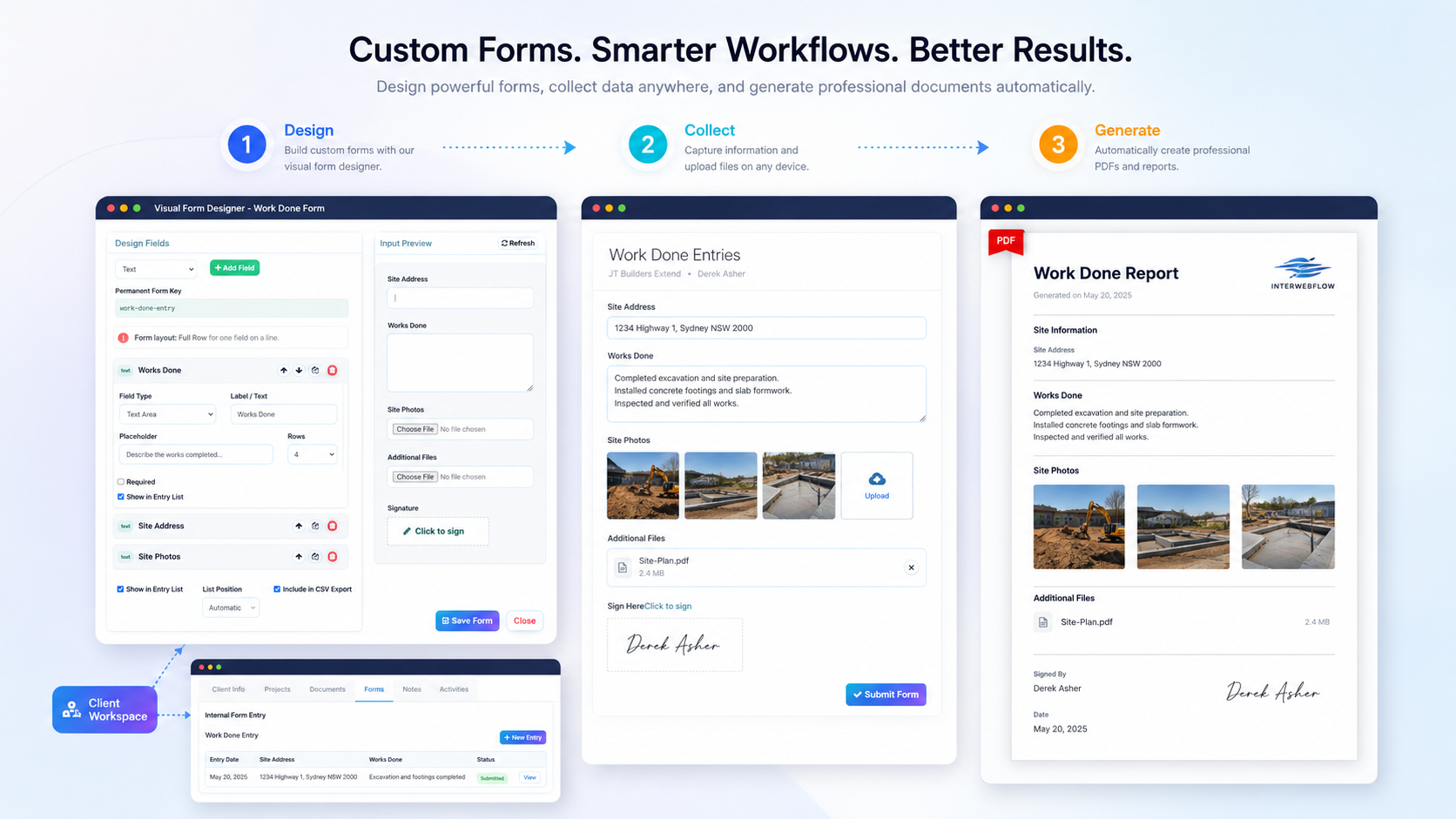
Capture the information needed to deliver and prove the work.
Forms can be completed internally against a project, client or work record, or sent externally where information, approvals, images, files or signatures are required.
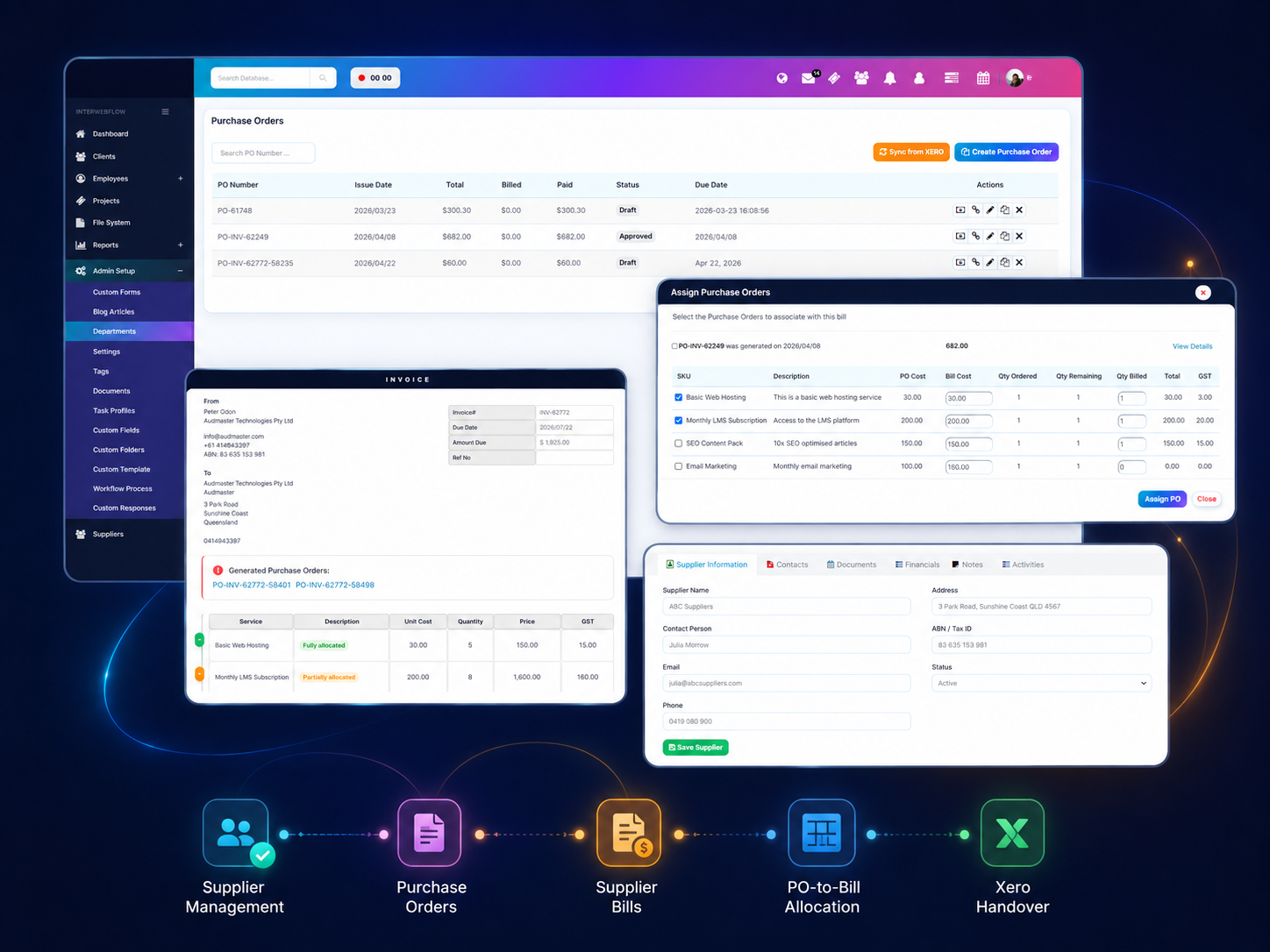
Keep purchasing, supplier billing and project costs connected to the work.
InterWebflow can go beyond simple supplier records. Create purchase orders, capture supplier bills, allocate invoice lines against PO quantities, monitor what has been fully or partially billed, and keep the relevant accounting handover visible without losing the project or supplier context.
Manage the full path from request through completion and billing.
The platform connects operational progress with the records, communication and commercial information surrounding the work.
Request
Capture the job, project, case or service need.
Plan
Set dates, stages, requirements and responsibilities.
Assign
Allocate tasks, employees, contractors or suppliers.
Deliver
Complete work, forms, appointments and activities.
Verify
Capture evidence, approval, notes and completion records.
Costs, Bill & Report
Connect time, services, products, supplier costs, invoices and reporting.
Bring the supporting parts of service delivery into the same workflow.
Projects rarely exist by themselves. They depend on communication, documents, suppliers, time, costs and follow-up.
Communication
Keep emails, SMS, notes and activity history connected to the client or project.
Files & documents
Organise project files, templates, folders, forms and document trays in context.
Suppliers & purchasing
Link supplier records, purchase orders, bills, PO allocations, project costs and Xero handover to operational work.
Time & timesheets
Track employee, contractor and billable time against the relevant project or activity.
Quotes & invoices
Connect services, products, time, materials and costs to commercial records.
Reporting & dashboards
Monitor workloads, delivery stages, overdue work, financial activity and performance.
Reduce manual follow-up while keeping people in control.
InterWebflow can automate repetitive next steps and still maintain visibility over what was triggered and why.
Event-based automation
Respond to project, task, appointment, invoice and workflow changes.
Automated actions
Create activities, tasks, emails, SMS messages or external API calls.
Roles & permissions
Control which users can see, update or act on operational information.
History & system logs
Review actions, status changes, automation and operational events.
Projects, jobs, services or field work - the structure can adapt.
InterWebflow can be configured around different service models, terminology and workflow stages. The goal is to preserve how the organisation works while making delivery easier to coordinate and measure.
Bring planning, delivery, evidence, time, costs and billing into one connected workflow.
Show us how your team currently manages projects, jobs, work orders, tasks, forms, suppliers and invoicing. We will show you how InterWebflow can connect the complete delivery process.